African Satellite World and Sat Gear

African Satellite World and Sat Gear

Munyaga, Permie,
I have just downloaded and updated the 4922 with the new software 138P. Just under the list of IPTV channels, now there are three extra icons: Remove one, Remove all and Off Pre-CH. They are marked red, green and yellow respectively. However, none of the channels is deletable even if the red or green button on remote controller is clicked while highlighting a channel to be deleted. The whole list flickers abit but none is deleted. Even a factory reset does not improve the situation. It seems there isn't much different between the 137P and the 138P softwares.
Anyone else experiencing this?

Has anyone confirmed that the patch works as it should? I also tried deleting some channels and it just flickers but nothing changes...
 
Tested both Strong Srt 4922 Hd & Strong 4950H over the weekend to see which of the two was more user friendly and easier to use.

Loaded on both, latest firmware patches


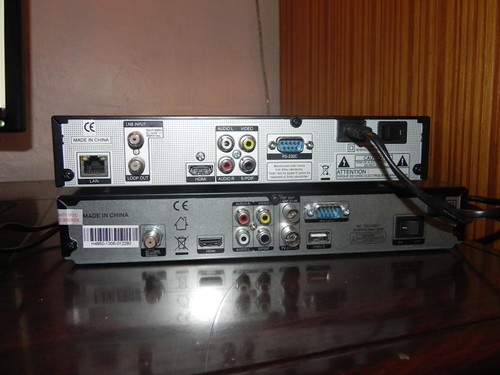
Srt 4922 HD is smaller in size than Srt 4950H>>>
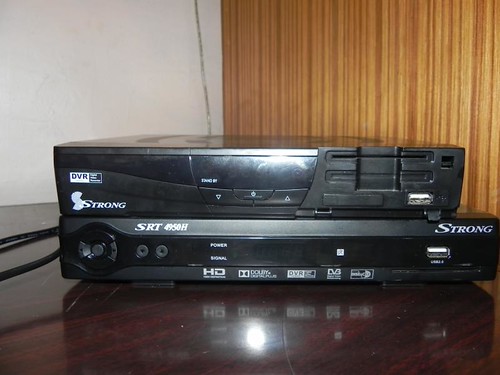
10663575155_51140cc394.jpg

10663612064_0b07c5bfff.jpg


Graphics User Interface>>>>>

Srt 4922 HD
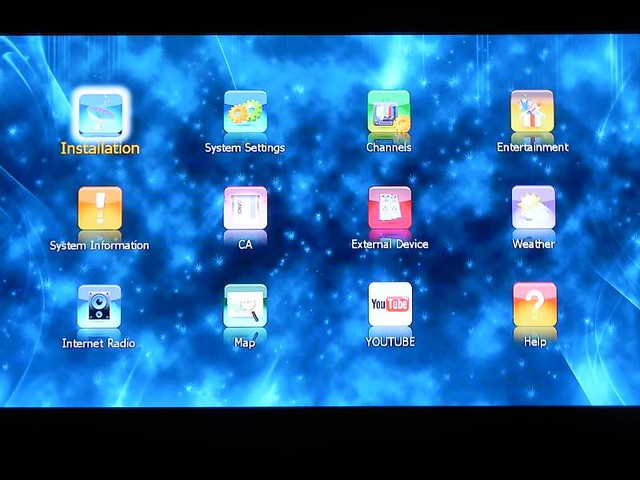
10663137604_ceae628ce9_z.jpg


Srt 4950H

10663353783_b5c2a66850_z.jpg


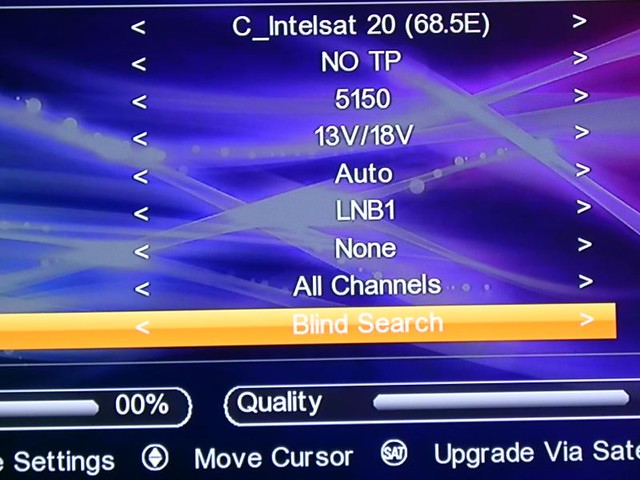
Tests on Intelsat 20 C-Band setup plus Blind scan>>>>>>


First i deleted all the existing frequencies of Intelsat 20 C-band on both receivers before i tested blindscan to see which receiver was faster and and able to lock on more frequencies.


On Srt 4922 HD the setup is straight forward and easier>>>

To select the satellite of your choice on Srt 4922, you can either navigate upwards or downwards or sideways <<>>
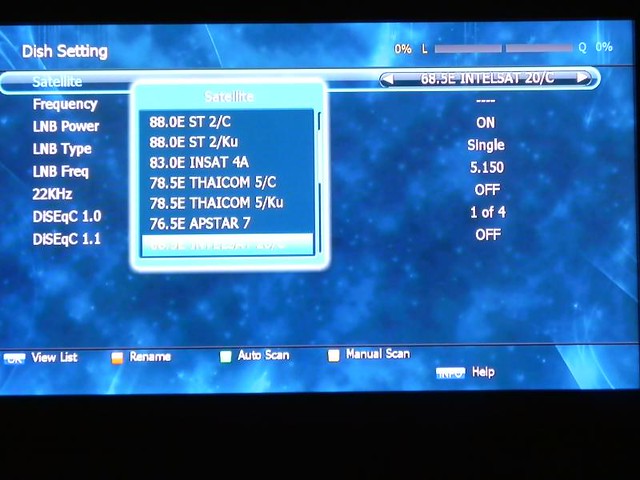
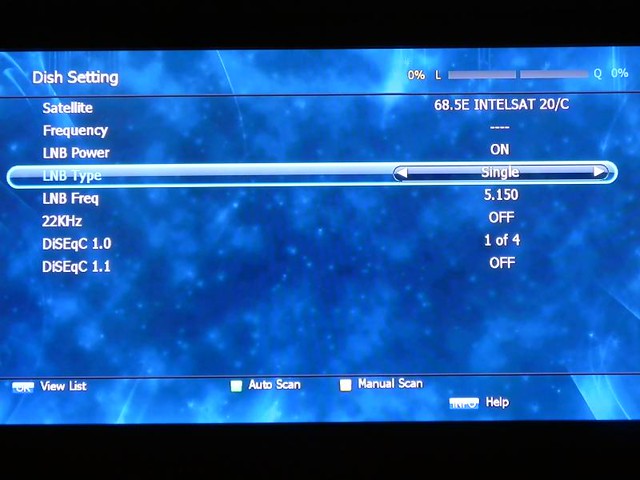
10663100815_77c156aae4_z.jpg


10663141654_e7c1414870_z.jpg


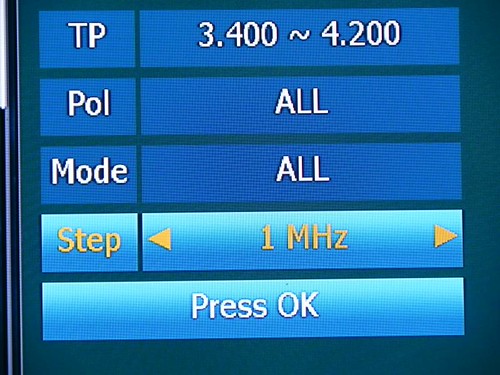
Srt 4922 Hd has a dedicated Blind scan option which comes STEP option when it comes to hunting for sat feeds.

10663143444_80c9e90103_z.jpg


10663342433_0787fe9cfc.jpg


For blindscan on Srt 4922HD, i selected STEP 1.
With STEP 1, the frequency is scanned per one digit so as to enable the receiver to lock on very low SR (synbolic Rates) used mainly for sat feeds.


A good example of STEP 1 blindscan>>

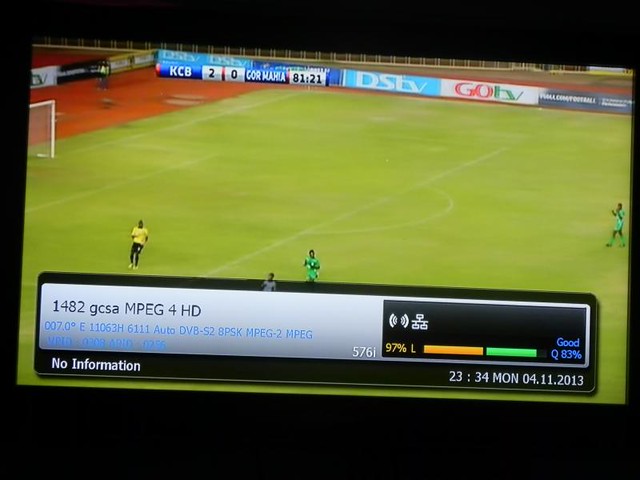
I Scanned Eutelsat 7 East A yesterday for sports feed using STEP 1 and got the 2 live Dstv Kenyan matches feeds on Frequency 11063 H DVB-S2 8PSK SR 6111>>>
10663638213_5a056aeae5_z.jpg


10663639663_8d49e8e219_z.jpg


Srt 4922 HD blind scan STEP 1 took 9 minutes & 27 seconds with a total of 256 TV
(fta/scramble) channels from 56 frequencies.

10664631654_f11790c921_z.jpg


On Srt 4950H, The setup is slightly complex>>

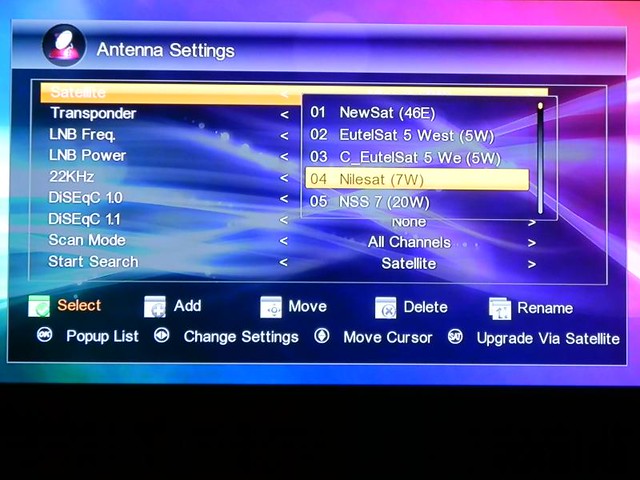
Go to Antenna Settings
10663355643_98a0aa8b04_z.jpg


When selecting a satellite, you can only navigate upwards or downwards.

10663154846_eda54dc4b7_z.jpg


Once you get your preferred satellite i.e Intelsat 20, navigate side ways to the SELECT TAB displaced in green in the image and enter select.

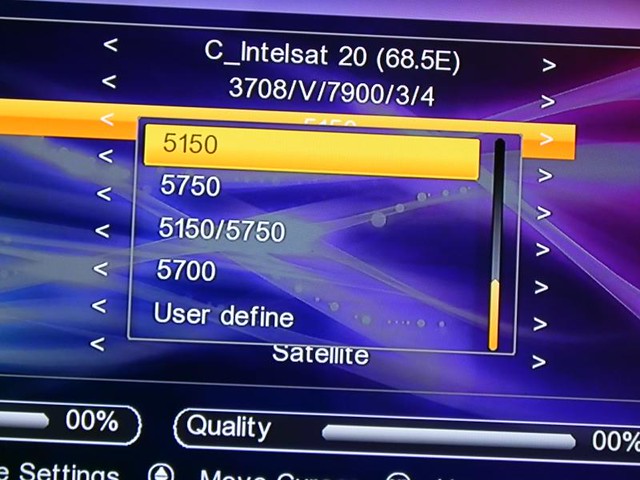
I selected 5150 for C-Band lnb frequency as i had done for srt 4922.
10663123655_015608bef4_z.jpg


10663157776_b9b8f36da4_z.jpg


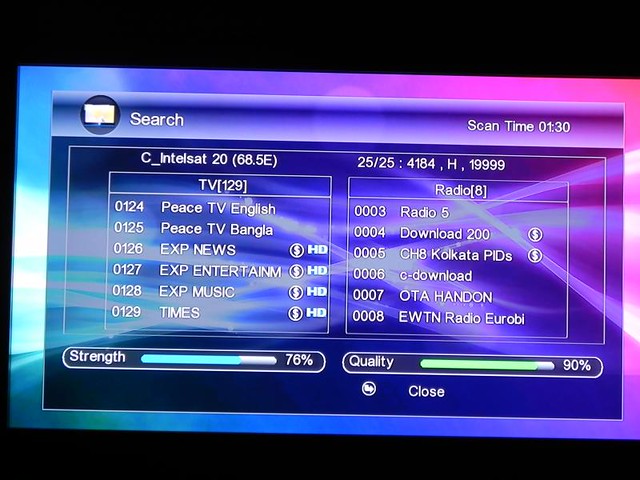
To Blind-scan, you scroll down to START SEARCH tab and chose Blind-scan.

Srt 4950 HD got a total of 129 Tv Channels (fta/scrambled) from 25 Transpoders
10663128355_ec0f11429e_z.jpg


From further investigating i noted the it could only run blind-scan on Horizontal frequeies.
Changed the Lnb frequency I.e 5150 >> 5759 >. 5150/5750 >>> & 5700 but noticed the same issue.

Changed the LNb power to 13V and was able to get the Vertical frequencies minus horizontal.

Tried to downgrade Srt 4950H with the original firmware patch from Strong Technologies website, but the receiver didn't upload the firmware as the firmware was to old as per receiver feedback.

Will wait for the new patch so as to clear this bug.


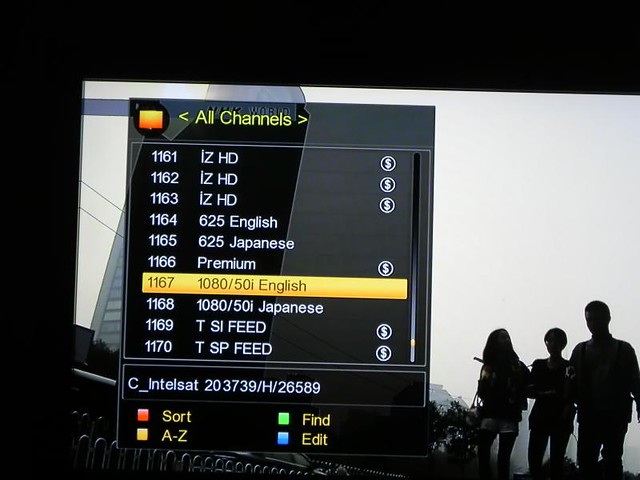
On srt 4922 HD navigated is either upwards/downwards or Sideways will on Srt 4950H channel navigation is either upwards or downwards.

Srt 4950H sideways navigation gives the option of ALL CHANNELS (which you can only scroll up or down) >>> FTA>>>SCRAMBLE>>>HD .
10663132795_006b074f44_z.jpg


10663369703_430792c047_z.jpg


10663173794_7f7e02d99c_z.jpg


10663175134_bec1e92209_z.jpg


Will continue post later>>>>>

Thanks for your detailed insight into the operations of both decoders bwana Kungu! So should we always choose step 1 1MHz when running a blindscan on 4922a?
 
am able to nab both 7e european beam and sese 5 on single dish and lnb
 
am able to nab both 7e european beam and sese 5 on single dish and lnb

Photo as well as specifics of location, dish size, LNB type na kadhalika. We have lots of new members coming in who will greatly appreciate it. Thanks in advance.
 
Eutelsat 25B / Es'hail-1 @ 25.5° East fired up this week.

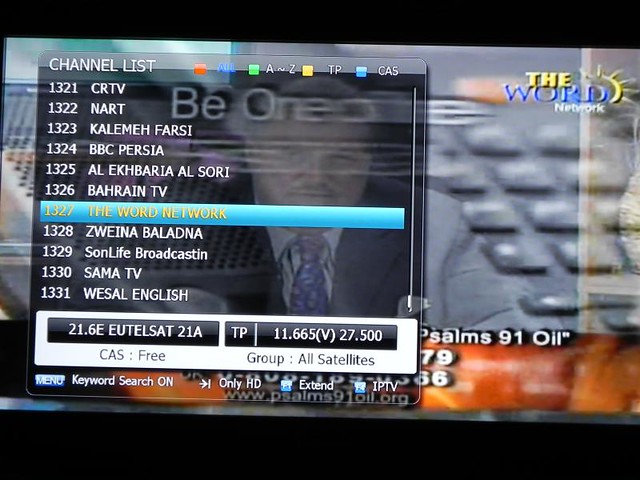
From tests carried on a 120cm offset dish, I can get the 2 frequencies currently on the Mena footprint.


Eutelsat 25B Ku-band MENA

10612270555_079e21b97a_z.jpg


Frequency 11665 V DVB-S SR 27500
10604048423_12241fbfa3_z.jpg

10604049263_d681b8851d_z.jpg


and Frequency 11679 H DVB-S SR 27500
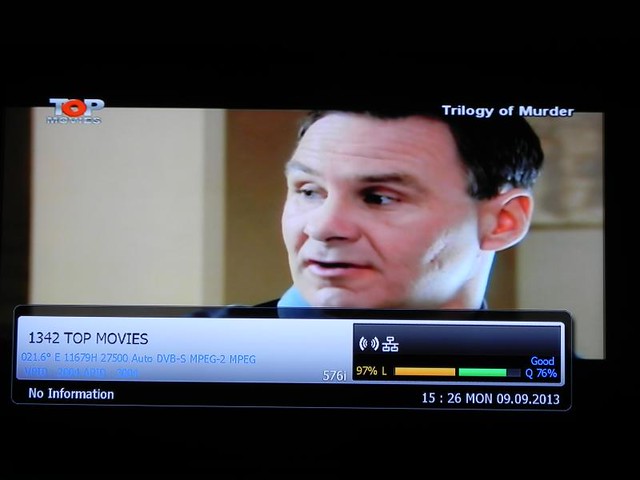
10604050013_6d1d47e5e5_z.jpg

10604050833_ab70c94154_z.jpg

Eutelsat 25B ([SIZE=+1]@ 25.5° East) [/SIZE] is close to Badr ([SIZE=+1]@ 26° East) [/SIZE] with less than 0.5 degree difference thus you can hit both birds with one lnb.

Yet to test on 90cm offset dish.

Eutelsat 25B signal strength is higher than badr's


Another footprint of interest on Eutelsat 25B/Es'hail-1 is the East Beam>>> Eutelsat 25B Ku-band East

10612270535_e8d1d2867c_z.jpg


From the above snapshot, East beam covers part of East Africa
The East Beam frequencies are yet to be fired up.

The Eutelsat 25B/Es’hail 1 satellite, a joint venture satellite of Eutelsat & Qatar Satellite Company, launched on August 29, went into commercial service on the morning of October 29, at 25.5 degrees East.

Expect Channels from Qatar the likes of Al jazeera sports & news package on the bird as Al jazeera is Qatar owned.


Keep you posted on the skies

Happy Hunting.

These birds can both be nabed with 90cm in western Kenya over 170 channels.
 
Monkey is it posible 2 get badr26 with 120 cm offset dish here in mombasa. Plz advice d house coz we are after irib thanx
 
Last edited by a moderator:
Missing mbc fta channels, on 7w,anyone facing the same issue? Ama ni eclipse?
 
whats happening with amos5 the channels are on and off
 
any body geting ting package plz advice on amos5@17 plz advice.
 
All,
Has anyone succeeded in getting: Digiturk on Eutelsat 7A at 7.0°E (European beam) and the Nilesats (Nilesat 201 at 7.0°W and Eutelsat 7 West A at 7.3°W) on one dish, say 120Cm offset or 180Cm Prime focus?
If so, please share, including photos. That would be So Wonderful.

The news TPs on Nile 201 (CNN, BBC, Euronews, MTV, etc) can be found on the Digiturk package. This means, one could fix a main LNB for Digiturk and a second one for Eutelsat 7 West A at 7.3°W. These satellites are only 17 degrees apart (i.e., 7E minus 7W = 14).

That's my project for December when I climb the roof again! ......... ASAS symptoms are showing up in me again!

This should be possible, given that a multi-LNB mix of Nilesats (7West), SES5 (5 East) and Amos5 (17 East), all 24 degrees apart has been tried and found to be successful; (i.e., 17E - 7W = 24).

However, anyone close to there setups may try and share the results.

I have attached here a setup done by Mr. Freddygaz in September 2012 to generate some ideas ...........
Freddygaz, over to you and your great multi-LNB fixing skills!

Freddygaz-Multi-LNB Setup-130-to-165cm.jpg . Freddygaz-Multi-LNB-on-130Cm.jpg
 
Good morning Mr. Kungu1, yes my receiver asks for SID as well as VPID.
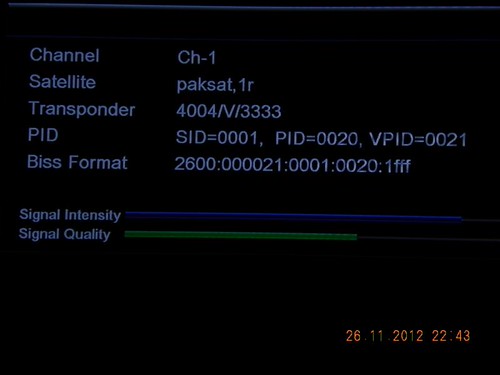
Good Afternoon drandonzero,

You will require the SID code for your wiz -999 HD receiver.

I have not had a chance to play with wiz -999 HD, but hopefully one of the following methods might help.

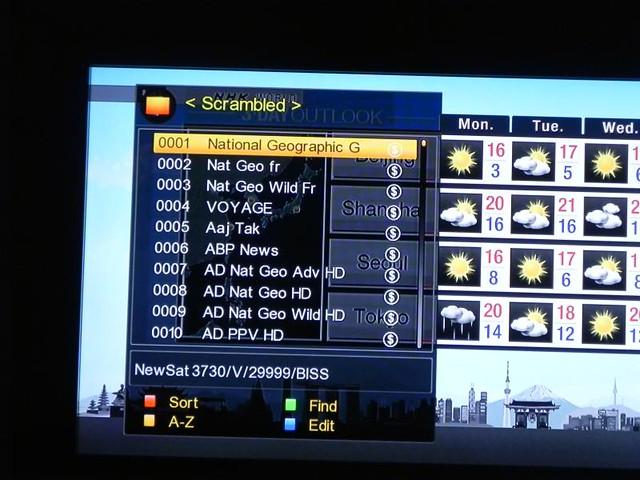
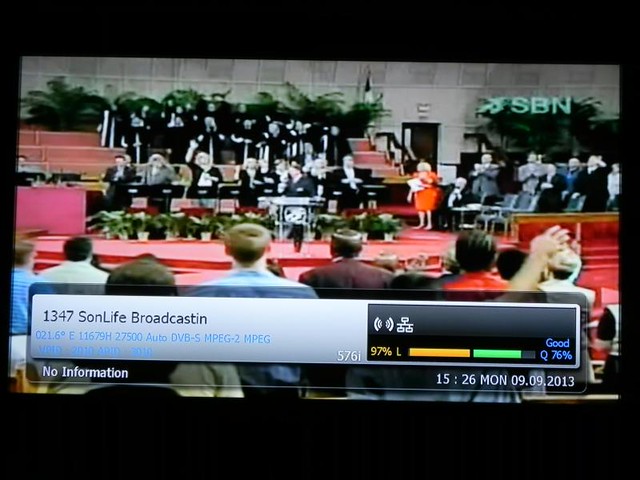
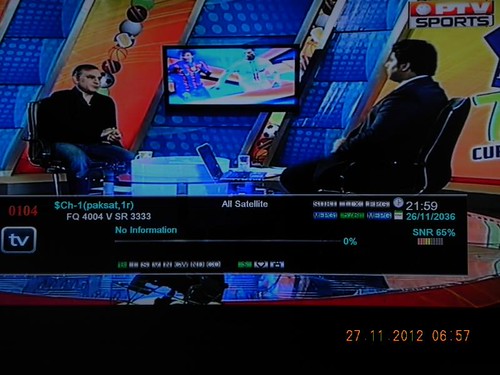
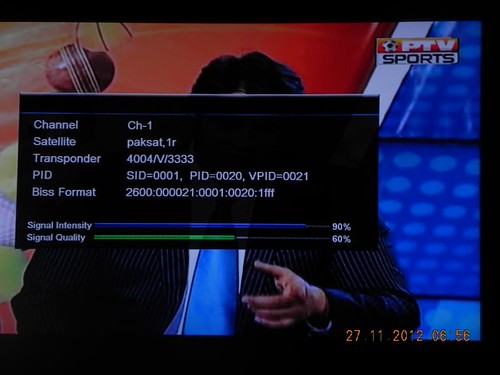
On Skybox receivers, you get the SID code of a scramble tv channel under biss by pressing the INFO button 3 times.
e.g we are looking for the SID of Pak sports on Paksat 1R.

8223234492_c2d267597e.jpg


For Skybox receivers, one requires both SID & CAID code.

8222232239_0945826fe6.jpg


You note down the CAID & SID code, then enter the said codes on Biss/constant word key table + current biss key of the channel you want to open>>>

8223234596_40e3289684.jpg


Once you input the Caid, Sid and Biss key on both EVEN & ODD CW lines, press the Yellow button OK to save and exit....

8222160751_c8a0df14bc.jpg


8223234690_7844731288.jpg


On Strong 4950H receiver you get the SID code of biss coded channel in a different way.

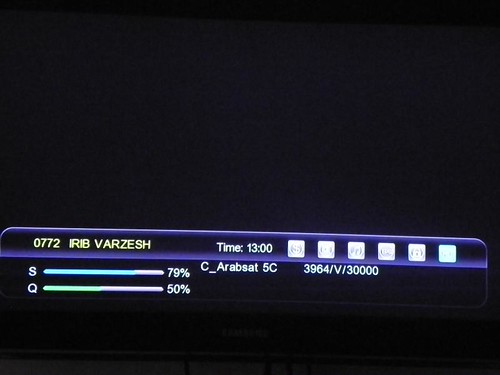
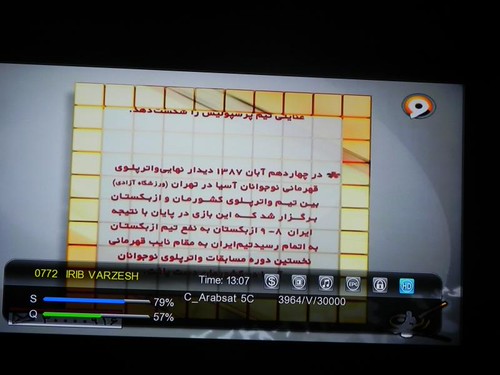
Lets say we are looking for the SID code of IRIB VARZESH.

Select the coded channels which will be blank as it is scrambled>>>

10685153754_bfc42fbbb3.jpg


On your remote select menu and go to CHANNEL MANAGER tab and select EDIT CHANNEL>>>>

10685112175_348187668b.jpg


Select the coded channel and note down the details displayed on the right>>>>>>

10685351483_697e0144cb_z.jpg


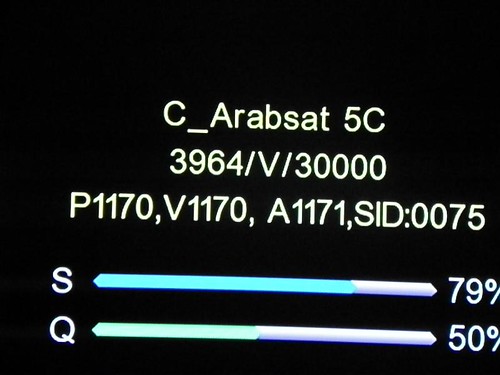
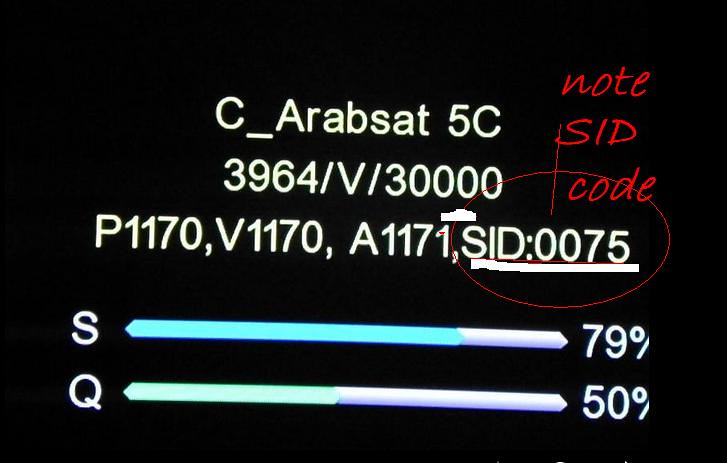
Details required include frequency, SR (symbolic rate) and SID code.

10685352233_7f78df8af6.jpg


For IRIB VARZESH Frequency 3964 & 30000
SID code 0075

10690328546_746d1f434e_b.jpg


With the said values, Select ANTENNA SETTINGS, scroll down to the PATCH MENU

10685161296_ed909ed693.jpg


The activation patch code for Srt 4950H is F1 6969.

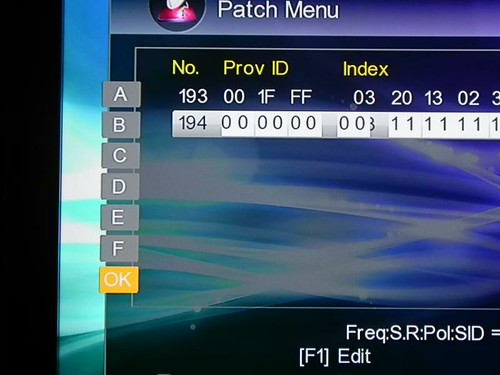
Enter Patch Menu and select Manuel Key>>>

10685115545_7417325ccb.jpg


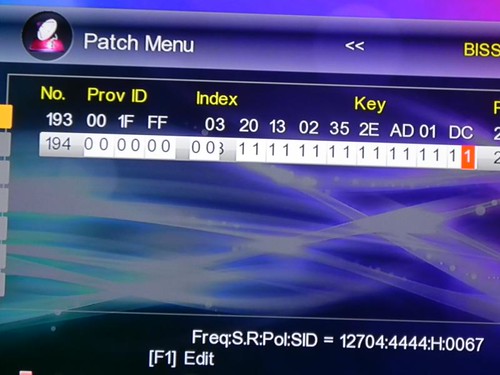
Select the Biss table and press the gree button on your remote to add new biss key.

10685116525_6392277300.jpg


Select the line under Key with the 12 zero.

Eg enter 11 11 11 11 11 11 11 11 >>>

10685165656_4ed398d8d5.jpg


On the side of the screen you will note letters running down till OK.

Select OK to save biss key.

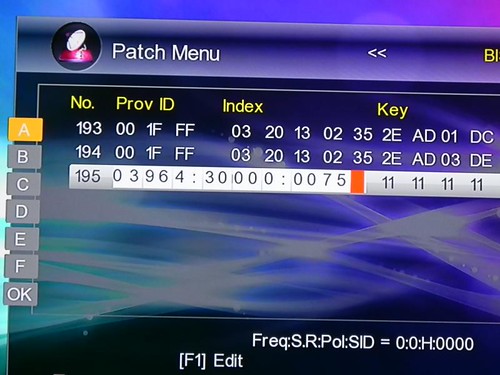
Next step, Press F1 to edit frequency plus SID code of the biss key you have entered>>>

10685117475_a3459ecce3.jpg


The values we had noted ealier are frequency 3964 SR 30000 and SID 0075

Enter the said values as displayed below.

Frequency SID
03964 30000 0075


10685164644_4ba662f150.jpg


Scroll down the letters on your left display and select OK>>>

10685357903_93d5ce44d2.jpg


Save, exit and enjoy your biss coded channel>>>


10685123065_e6809c3c98.jpg


One of the above solutions will most likely help you get and enter the SID code values on your receiver.

Happy Hunting


It looks like i should then switch to 4922. Or is it that since 4950h is a new kid in the block it will take time before it can properly take on the older siblings. Am thinking the lack of patches and its relative 'newness' and hence lack of consumer feedback and insight is costing it significantly. I maybe wrong...could be whack or it will be a hit with time.
Good Afternoon Kikuyu ninja,

Just a few teething problems on 4950H.

The main issues i have noted are>>>

1. Issue with vertical Blind-scan on C-Band.
Tried firmware 206, 208 & 211 but the issue did not clear
Blind-Scan on ku-band both vertical and horizontal polarities is ok.

2. To enter encrytion codes on 4950H is more complex than 4922 HD.
On Srt 4922 to enter biss code of a encrypted channel is as easy as ABC.
No CAID, SID or other codes required, just the biss key.
On your strong receiver first activate patch with pin code 6969 again 6969

Select channel coded under Biss
Access Biss key table by entering pin 8280

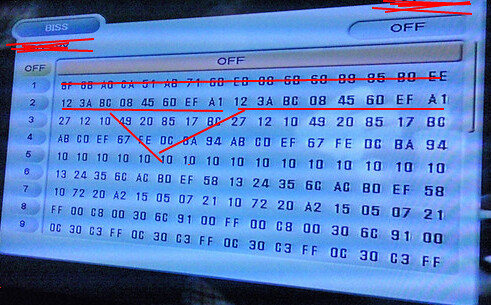
On Biss key table select line you what to save biss key on e.g 1,2,3,4......>>>

Example>>>>>>

If the biss key for channel X is 12 3A BC 08 45 60 EF A1,

8394614024_fc1f2b7510.jpg


Enter the said key e.g on line 2 twice, exit, save and enjoy.

Currently no patch on Srt 4950H to open the goodies on Digit**k @ Eutelsat 7 east A,

3. RF output not stable.
Video not stable via Rf cable.

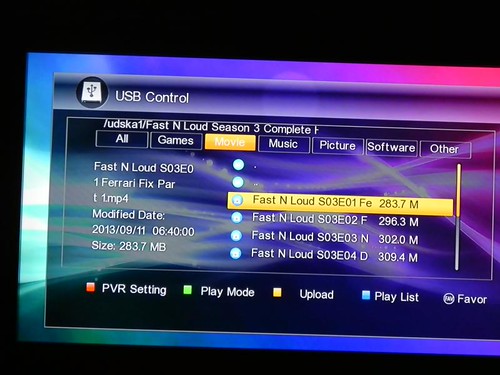
For a beginner this is slightly a complex receiver to maneuver about but stii has it upsides like 2 usb ports for either USB Moden, Wifi plus PVR.

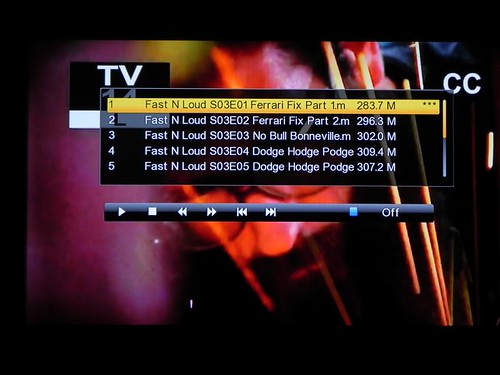
Has a more advanced media player than Srt 4922 HD which is user friendly>>>>>>>


10663186416_f4d95ea07c.jpg


10663386223_929a81dae5.jpg


SRT 4922 HD media player>>>>>>>>

10663192816_7041756171.jpg


I wish they had a special code on the media players of both receiver to avoid deletion of data on large volumes of data on external harddisk.


Keep you posted on more
 
Am having some issues whereby JSC Sports channels and HD channels on 36E at times are showing no signal while other frequencies are okay(am using a diseqc) but when I put directly to the receiver no issues. I have changed the diseqc but the problem remains, what could be the issue?
 
Back
Top Bottom