HACHOKI TALEMWA
Member
- Mar 4, 2013
- 93
- 9
Msaada jamani nataka kuunganisha computer moja na nyingine kwa njia ya wireless





ubarikiwe mkuuinawezekana inachotaiwa ni kuwa na pc au zaidi na ziwe na os za linux au window 7 na kuendelea.
Step 1. Kwa windows pc 1
nenda kwenya start menu andika add hoc
step 2. Pc 1
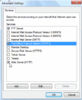
utaona pc 2 then utalick next
View attachment 143229
step 3. Pc 1
View attachment 143230
View attachment 143232
utasubiri kidogo hadi network create successfully
step 4
View attachment 143231
step 5 pc 2
nenda pale kwenye icon ya network na uconnect jina amablo umelipa hapo mwanzo
View attachment 143233
step 6 pc 1
nenda network sharing check all
View attachment 143234
step 7 pc 1View attachment 143235

msaada jamani nataka kuunganisha computer moja na nyingine kwa njia ya wireless

Msaada jamani nataka kuunganisha computer moja na nyingine kwa njia ya wireless
Tafuta software inaitwa connectify. Kwa software hii utaunganisha hata computer zaidi ya mbili kwa urahisi kabisa.


