African Satellite World and Sat Gear
You are using an out of date browser. It may not display this or other websites correctly.
You should upgrade or use an alternative browser.
You should upgrade or use an alternative browser.
African Satellite World and Sat Gear
- Thread starter kungu1
- Start date
Does this stb come with blind scan capabilities. Any link to its user manual? Thanks.
Here is the user manual for OPENBOX V8 COMBO receiver. Enjoy.
Attachments
Does this stb come with blind scan capabilities. Any link to its user manual? Thanks.
Here are other "How To" manuals for OPENBOX V8 COMBO receiver. Enjoy.
Attachments

Thanks KRM for this info.For those who own Openbox V8 Combo/Pro and other recievers which CA Protocol for entering keys,you can download SOFTCAM KEY here Netkeysat.net ,save it in your usb stick,go to Menu>Tools>Conditional Access>Press 6666>Key Edit>MGCAMD BISS>Import.If your dish is well positioned to Eutelsat 7°E Europe B Beam,blind scan and it will open D*G*T**K Channels ,no need to buy SRT 4950H if you already own such a stb.
NOTE:THE SAID SOFTCAM KEY DECRYPTS ONLY SD CHANNELS.
I have gone to the suggested site and found several files. (Netkeysat.net)
Which file contains the softcan keys for Openbox V8 Combo to access the d*g*t channels?
Kindly please give us the file name and also the step by step procedure on how to upgrade the stb.
I notice also that PowerVu capability has been added with this SW. Please confirm.

Vicwa
JF-Expert Member
- Apr 25, 2013
- 1,233
- 1,064
noted that i cant downgrade my 4922 i wanted to patch it with factory firmware any ideas?
Bro what is your intention of downgrade to factory firmware.Kwani umebackslide wakati tunasahau yaliyopita tunachuchumilia yaliyo mbele.

RankSat
JF-Expert Member
- Mar 10, 2013
- 795
- 350
Maajabu is tht (Nat geo,nat geo wild,history) it went to 90% at night...Now going back to Nai.
Nat Geo people only.

wafalme
Senior Member
- Jan 15, 2014
- 113
- 19
Nimepiga simu duka moja nimeambiwa bei ni 6,500/-
Kesho nitauliza duka nyengine kama zipo.
Za patikana wapi Mombasa ama maduka gani?

sebmjomba
Senior Member
- May 10, 2014
- 151
- 45
Here is the user manual for OPENBOX V8 COMBO receiver. Enjoy.
Let me add my view on this gadget called Open Box Especially V8 Combo as its what i have. This is not a gadget for pple with itchy fingers who want to experiment everything. Make a mistake as i did when wishing to upgrade and the machine will be dead. Now am going thru a hard time as the software cant load. I have been forced to go back to my Technosat 888, MPEG 2. The gadget is good though as it has very good blind scan and all the other features people have talked about

katiklo
Senior Member
- Sep 30, 2011
- 185
- 85
anyone with an idea where irib 3 or varzesh has disappeared to? on arabsat.
It is still on Arabsat. Confirmed it is active.

nahdy
JF-Expert Member
- Jun 13, 2014
- 228
- 67
It is still on Arabsat. Confirmed it is active.
ways happening. HV blind scanned several times. why these 2.
nahdy
JF-Expert Member
- Jun 13, 2014
- 228
- 67
ways happening. HV blind scanned several times. why these 2.
zimerudi at 78%. aiii not today!!!?

regiment jey
JF-Expert Member
- Apr 6, 2013
- 423
- 59
THE SPORT on 7e showing FA cup final live now. 10763 V 30000
regiment jey
JF-Expert Member
- Apr 6, 2013
- 423
- 59
TRT SPORT on 7e showing FA cup final live now. 10763 V 30000 fta.
nahdy
JF-Expert Member
- Jun 13, 2014
- 228
- 67
THE SPORT on 7e showing FA cup final live now. 10763 V 30000
same on varzesh
Thanks KRM for this info.
I have gone to the suggested site and found several files. (Netkeysat.net)
Which file contains the softcan keys for Openbox V8 Combo to access the d*g*t channels?
Kindly please give us the file name and also the step by step procedure on how to upgrade the stb.
I notice also that PowerVu capability has been added with this SW. Please confirm.
It doesn't have powervu capabilities but has all other major encryption methods, download the latest software.key, save it in your stb and follow the procedure I described earlier.
Attachments
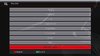
Here is the procedureIt doesn't have powervu capabilities but has all other major encryption methods, download the latest software.key, save it in your stb and follow the procedure I described earlier.
conditional access interface, press 6666 to enable key edit
Attachments




findout
Member
- Jul 8, 2013
- 50
- 7
Hello ASAS mates, the talk on c band 68.5e and 66e has gone silent. Are they still available? PM in the spirit of fta.
I requested if anyone is viewing any of the P/vu channels ? currently am on Apstar viewing only one freq, the rest don't open as per the keys on najmsat. Please PM me if you have any good news.
It doesn't have powervu capabilities but has all other major encryption methods, download the latest software.key, save it in your stb and follow the procedure I described earlier.
Thanks KRM for the file.
Where and what exactly do you save on the stb?
I notice the file is zipped; does the stb unzip it on its own or you have to unzip it first?
I thought that you unzip the RAR file first on a flash disk, and then maybe load it in the stb?
When I unzipped the file, I got 2 files; a text file and a"SoftCam" file plus a folder containing
yet another "SoftCam" file.
Kindly please clarify more on this. Thanks.
Similar Discussions
-
What are the main differences between GB WhatsApp and official WhatsApp?
- Started by faraz ahmad khan
- Replies: 1
-
-
How Modern Smartphones Outperform Apollo 11 Computers and What’s Next in Tech
- Started by neveryohana
- Replies: 1
-
 UCC Targets 90% Nationwide 4G Coverage as Satellite Internet Expansion Continues
- Started by Eronda
- Replies: 0
-