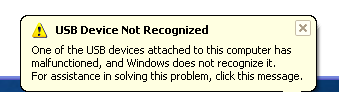
here is possibly an unbelievably simple solution to the "
USB device not recognized " error which worked for me. I love USB and have 5 ports on my computer so that I can connect my mouse, keyboard, camera, phone, and printer to it all at once! However, last weekend, my computer stopped recognizing my USB devices! The strange thing about it was that the USB ports were not bad because all of my devices were still getting power to them. I could still charge my cell phone without a problem!

So I started with the normal fixing methods, including uninstalling the drivers for my devices and reinstalling them. That didn't work! Next I tried System Restore thinking that maybe I had installed something and it caused a conflict with the USB system drivers. That didn't work!
I read online that in order to fix this problem I should go to Device Manager and uninstall all of the devices under USB Controllers. Restarted the computer, reinstalled the USB drivers, but the problem STILL did not go away!
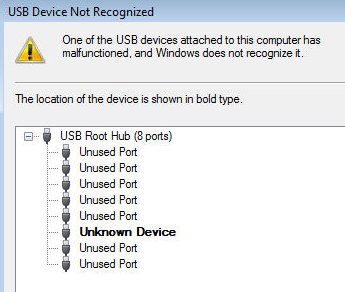
You may also see in Device Manager that the device shows up as an "
Unknown Device ".
 So how did I finally fix the problem? Well, apparently it's a super simple solution! No need to edit the registry, uninstall drivers, or anything of that sort.
Simply UNPLUG YOUR COMPUTER FROM THE POWER SUPPLY . Yes that's it! Note that this does not mean just turning off your computer because modern computers don't really turn off when you press the power button as the motherboard still gets power.
First to explain, the motherboard is where all of hardware of the computer is connected to, including the USB ports. Sometimes the motherboard needs to be "rebooted" also because something can go wrong, i.e. all your USB ports suddenly stop working. The small microprocessor on the motherboard will reload the drivers and your USB ports should be back to recognizing all devices!
So first turn off your computer using Shut Down or pressing the power button and then UNPLUG it from the wall outlet. Let it sit for about a minute and then plug it back in.
Hope this helps someone fix that highly irritating "USB device not recognized" Windows error!