Aliye-solve case hii Tafadhali,

Aliye-solve case hii Tafadhali,

Coco

JF-Expert Member
Joined
May 13, 2019
Posts
430
Reaction score
1,577
Hello,

Nipo na tatizo amabalo nahitaji solution kwa haraka,

Nahisi ni aina ya Virus ambao sijawafahamu, wao husababisha Apps za aina yoyote of the same Windows bits kuto run/rerun kwenye PC.

Nasema ni Virus sababu huambukiza kutoka PC moja kwenda PC nyingine. Nipo na Computer zaidi ya sita (6) zenye ku- run Windows 10 zenye tatizo hili na sijapata solution ya haraka, iwe online ama vinginevyo.

Mwenye aliwahi ku-solve tatizo hili tafadhali share nasi.
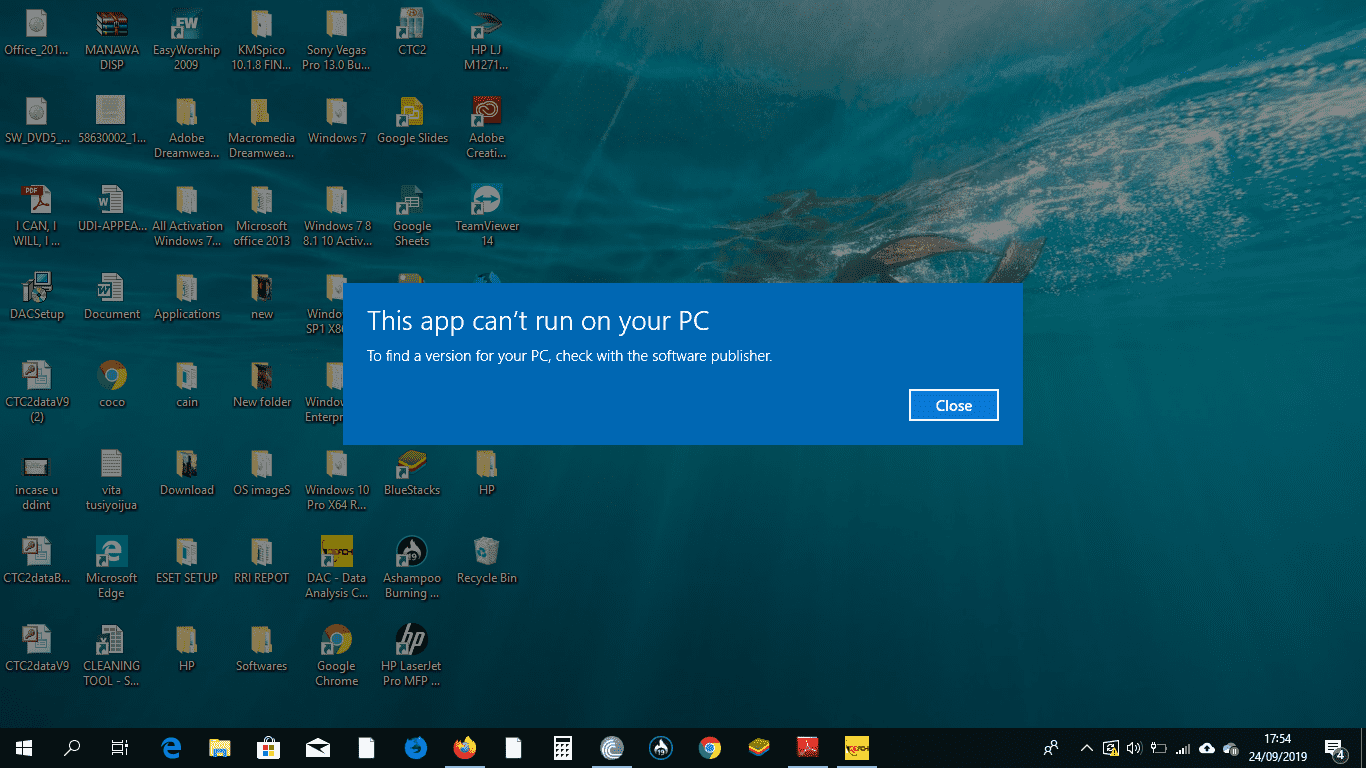


Screenshot (40).png


Natanguliza Shukrani.


Napokea shukrani zako kwa niaba na kubariki ili wataalamu waje kukupa suluhisho la tatizo tajwa.
 
Mkuu umeupdate pc yako lini?
Ha hah

Umenifanya nicheke mkuu,

Huwa nafunga windows updates sababu windows 10 wana updates nyingi mno!

Sasa kuokoa data inanibidi nifunge.

Lakini sidhani kama hii ni tatizo maana baadhi zina vuta Updates Auto na zina hili tatizo.
 
Ingia task manager..
Then click tab ya startup
Then screenshot alafu tuma hapa... nikusaidie kucheki kama pc yako inavirus
 
Ingia task manager..
Then click tab ya startup
Then screenshot alafu tuma hapa... nikusaidie kucheki kama pc yako inavirus

Screenshot (42).png
 
Right click hiyo app imeyoandikwa program then click file location afu tuma screenshot
Inactive File location.
Hii manake nini,
Screenshot (44).png
 
Repair your registry

Faulty or corrupted registry keys may also prevent apps from running on your PC. If ‘This app can’t run on your PC’ keeps popping up, the simplest way to repair your registry is to use a dedicated tool, such as CCleaner. Don’t forget to first backup your registry in case anything goes wrong.

You can also use Microsoft’s System File Checker to check for system file corruption. The utility verifies the integrity of all protected system files and repairs files with problems when possible. Here’s how to run an SFC scan:

1. Go to Start > type cmd > right-click Command Prompt > select Run as Administrator

View attachment 1215206

2. Now type the sfc /scannow command

View attachment 1215200

3. Wait for the scanning process to complete and then restart your computer. All corrupted files will be replaced on reboot.
 
Jaribu na iyo nmeichukua Microsoft community kwa waliopatwa na shida kama hii
 
Inactive File location.
Hii manake nini,
View attachment 1215201
Huyo ndio atakua virus... maana hata publisher name haipo hapo kwenye list. Fanya ku-disable hiyo program..

Then download avast antivirus kwenye pc yako, install... utascan then itadetect kama system yako iko infected then uta resolve hiyo issue

Ni free
 
Alafu cheki kwenye file location la hiyo app unayotaka ku-run kama size yake ni 0kb
 
Achana na windows utapata sana tabu,tumia linux aziathiriwi kipumbavu
 
Huyo ndio atakua virus... maana hata publisher name haipo hapo kwenye list. Fanya ku-disable hiyo program..

Then download avast antivirus kwenye pc yako, install... utascan then itadetect kama system yako iko infected then uta resolve hiyo issue

Ni free
Najaribu, Ahsante sana.
 
Ukikwama chukua Microsoft Essential instal, piga full scan uvumilivu muhimu itachukua angalau masaa 12
 
Back
Top Bottom