Natafuta NAS server at least ya 2 -bay, mpya.yenye features nzuri za kutosha. ukiweza kupata na hard disk at least ya 3TB itakuwa vizuri zaidi.
nicheki kwenye 0754484110.
NB: iwe ni brand ambayo at least ina reputation nzuri, sio hizi za Kichina
nawasilisha
Mzigo Upo.
Nipigie sasa
0652 275300
Features:
Access, Share and Enjoy It Everywhere!
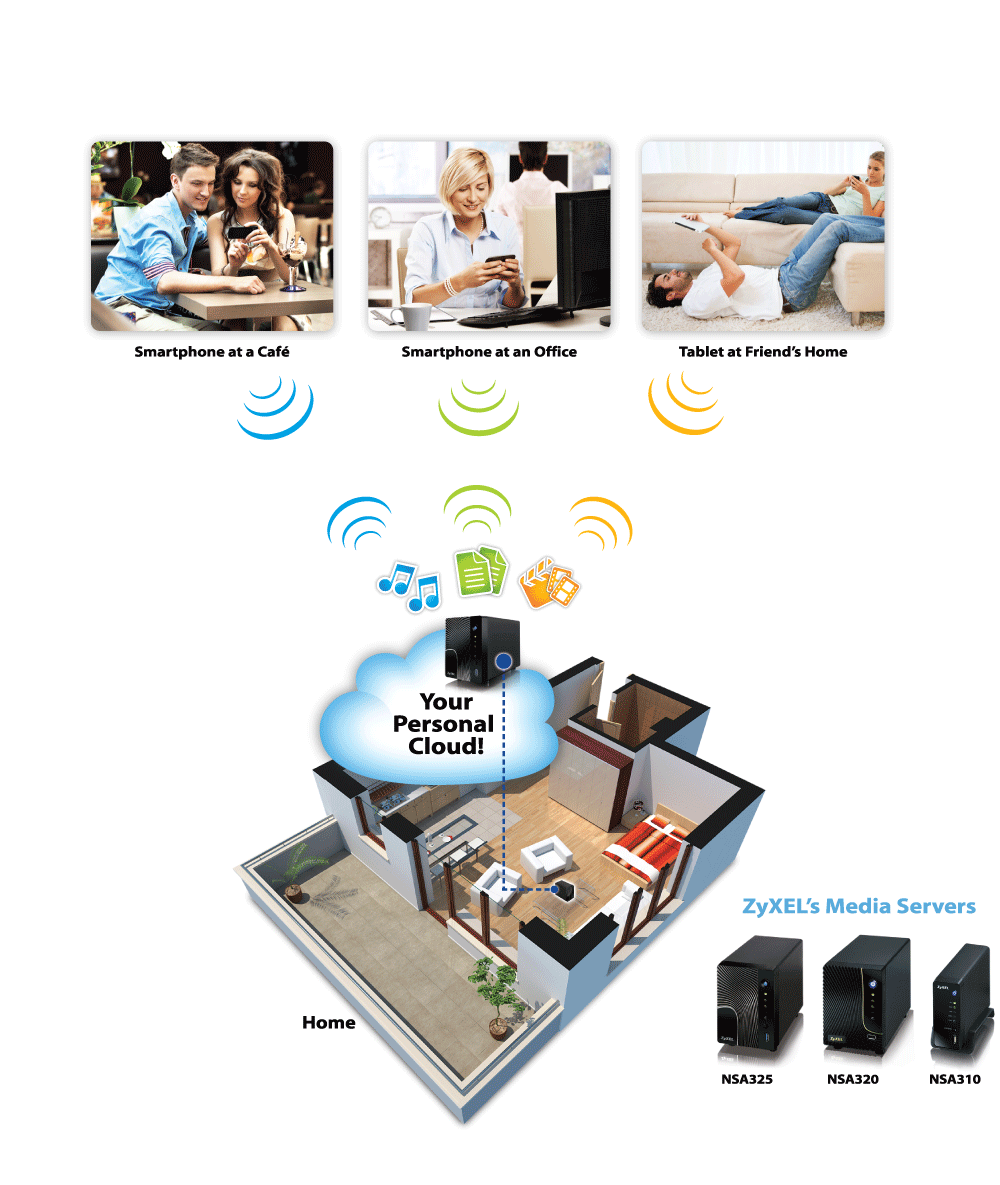
With the latest personal cloud feature of ZyXELs Media Servers, you can freely access, share and enjoy digital media contents through your smartphones and tablets with the Polkast app, no matter where you are!
[TABLE="width: 100%"]
[TR="bgcolor: transparent"]
[TD="width: 700, bgcolor: transparent, align: left"]
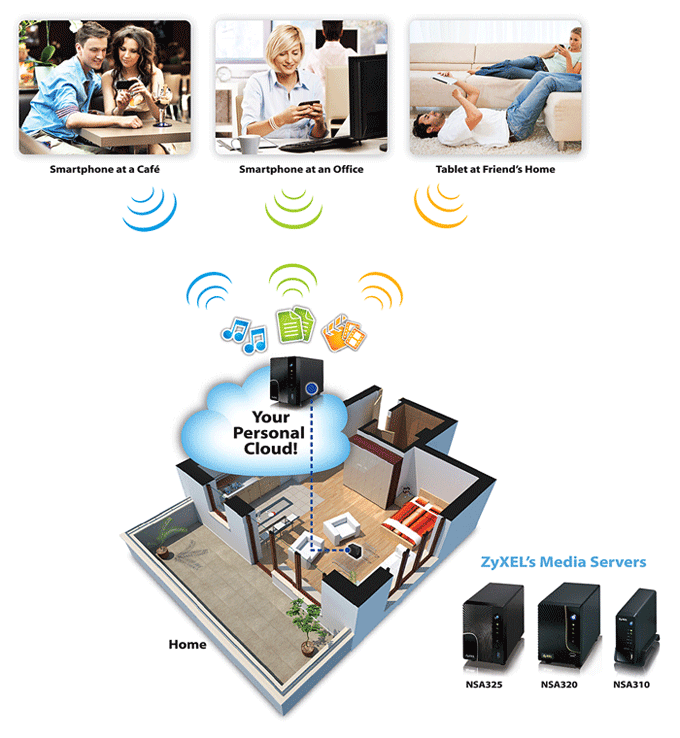 The ZyXEL Media Server is more than just a central home media library! With the Polkast support, you can virtually take thousands of photos, videos and music with you, wherever you are.
[TABLE="width: 100%"]
[TR="bgcolor: transparent"]
[TD="width: 300, bgcolor: transparent, align: left"]
[/TD]
[TD="bgcolor: transparent, align: left"]
Easy to Access
When youre in the office, you can easily continue the unfinished presentation files that youve stored on the ZyXEL Media Server at home. Just click the Polkast app on your smartphone or tablet, and then you can easily access your home media server and continue working on the presentation files right away.
[/TD]
[/TR]
[TR="bgcolor: transparent"]
[TD="bgcolor: transparent"][/TD]
[TD="bgcolor: transparent"][/TD]
[/TR]
[TR="bgcolor: transparent"]
[TD="bgcolor: transparent, align: left"]
[/TD]
[TD="bgcolor: transparent, align: left"]
Enjoyment Everywhere
At the end of an exhausted working day, you may want to share some family photos or videos with your friends in a café. Just click the Polkast app on your smartphone or tablet, you can immediately enjoy photos, music and videos stored on the ZyXEL Media Server on your smartphone screen with just a few clicks. Everything is at your fingertips.
[/TD]
[/TR]
[TR="bgcolor: transparent"]
[TD="bgcolor: transparent"][/TD]
[TD="bgcolor: transparent"][/TD]
[/TR]
[TR="bgcolor: transparent"]
[TD="bgcolor: transparent, align: left"]
[/TD]
[TD="bgcolor: transparent, align: left"]
Share Easily
On a weekend, you go to a friends house-warming party. If youd like to share your vacation travel photos, just click the Polkast app on your smartphone to immediately share the photos with friends with just a few taps. How about sharing beautiful scenes from a trip with your family when youre still on the road? Take pictures or videos with your smartphone or tablet, and send it to your ZyXEL Media Server with Polkast. A few seconds later, your family can see the photos on Facebook, YouTube or Flickr.[/TD]
[/TR]
[TR="bgcolor: transparent"]
[TD="bgcolor: transparent"][/TD]
[TD="bgcolor: transparent"][/TD]
[/TR]
[TR="bgcolor: transparent"]
[TD="bgcolor: transparent, align: left"]
[/TD]
[TD="bgcolor: transparent, align: left"]
Simple Setup
Enabling access to your personal data from anywhere is simple with ZyXEL. Just install the Polkast app* on your smartphone and/or tablet, register through the app, enable Polkast in your ZyXEL Media Server and youre ready to roam freely with all the data at your finger tips. Check out how simple it is to enable Polkast on your ZyXEL Media Server!
[/TD]
[/TR]
[/TABLE]
[/TD]
[/TR]
[/TABLE]
Powerful HD Multimedia Streaming at Fingertips!
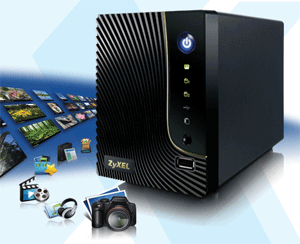
Powered by a 1.2GHz CPU and 512MB memory, the NSA320 2-Bay Power Media Server can provide faster speeds for large file transfer, backup and multimedia streaming to different UPnP- and DLNA-certified devices in every room at home.
[TABLE="width: 100%"]
[TR="bgcolor: transparent"]
[TD="width: 336, bgcolor: transparent, align: left"][/TD]
[TD="width: 25, bgcolor: transparent"][/TD]
[TD="width: 287, bgcolor: transparent, align: left"]Superior performance
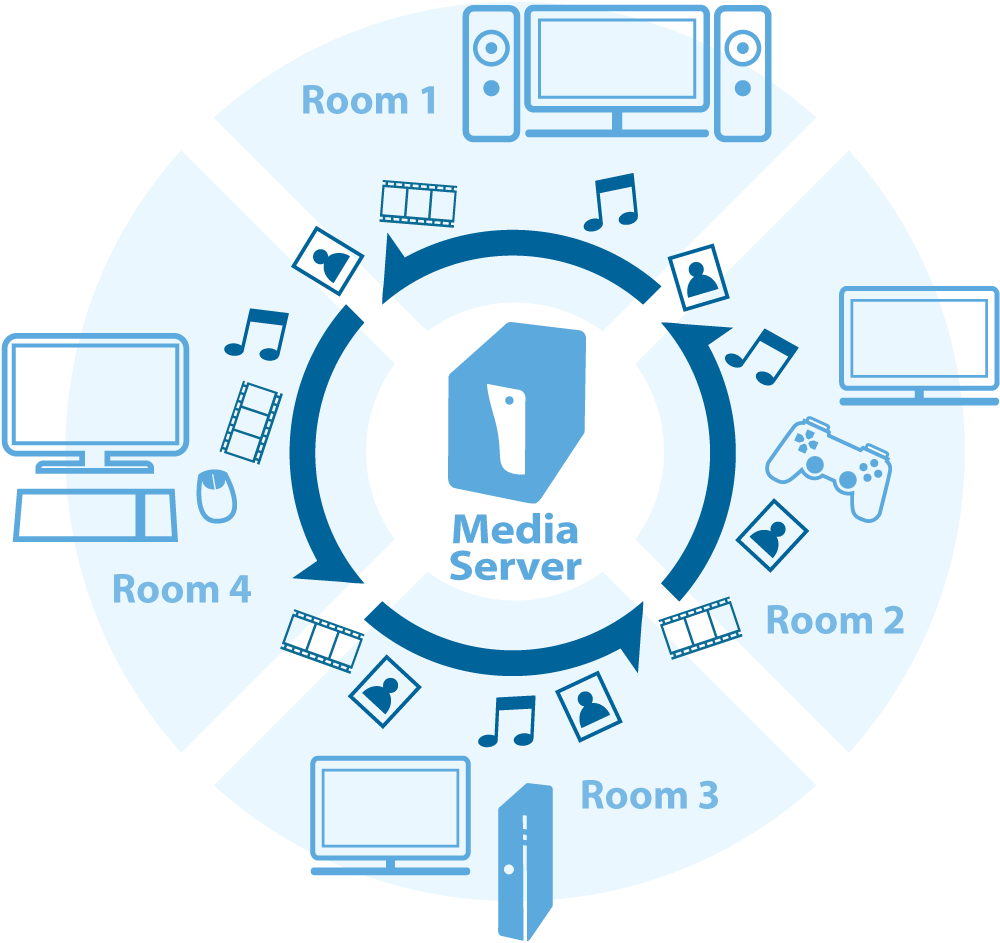
With a powerful CPU and sufficient memory, the ZyXEL NSA320 2-Bay Power Media Server can quickly transfer, backup and stream large multimedia files at the same time. Its superior data read/write rate is up to four times faster than most generic network storage appliances. The NSA320 also handles multiple simultaneous 1080p high-definition streams to different UPnP and DLNA-certified devices such as Microsoft XBOX360, Sony PS3 and DLNA TV in every room at home.
[/TD]
[/TR]
[TR="bgcolor: transparent"]
[TD="bgcolor: transparent"][/TD]
[TD="bgcolor: transparent"][/TD]
[/TR]
[TR="bgcolor: transparent"]
[TD="width: 336, bgcolor: transparent, align: left"]
[/TD]
[TD="bgcolor: transparent"][/TD]
[TD="bgcolor: transparent, align: left"]Intuitive user interface integrated with media player
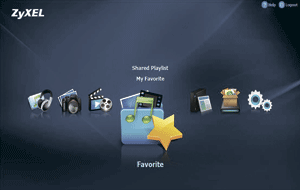
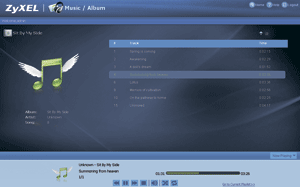
With the user-friendly installation wizard, it's easy to manage and backup media files on the NSA320. You can also play music and slide shows directly from the NSA320 through the intuitive user interface integrated with a media player. The NSA320 allows you to create a music playlist to play on the background of your slide shows. A newly designed alphabetical search bar provides you with a more convenient way to search within thousands of songs, photos and videos stored on the NSA320.
[/TD]
[/TR]
[/TABLE]
[TABLE="width: 100%"]
[TR="bgcolor: transparent"]
[TD="width: 336, bgcolor: transparent, align: left"]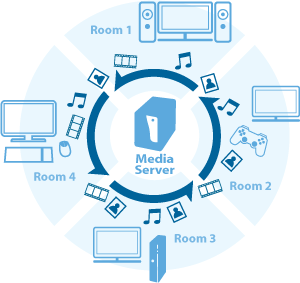 [/TD]
[/TD]
[TD="bgcolor: transparent"][/TD]
[TD="bgcolor: transparent, align: left"]Share with your family over home network
Want to share the photos and videos taken in family trips or your childrens birthday parties stored in your laptop or PC? Just store all of your favorite photos, music, videos from your PC to the NSA320, as your centralized digital media library, and your family can immediately access the files on their laptops and tablet PCs over your home network.
[/TD]
[/TR]
[TR="bgcolor: transparent"]
[TD="bgcolor: transparent"]Enlarge[/TD]
[TD="bgcolor: transparent"][/TD]
[TD="bgcolor: transparent"][/TD]
[/TR]
[TR="bgcolor: transparent"]
[TD="bgcolor: transparent"][/TD]
[TD="bgcolor: transparent"][/TD]
[TD="bgcolor: transparent"][/TD]
[/TR]
[TR="bgcolor: transparent"]
[TD="width: 336, bgcolor: transparent, align: left"]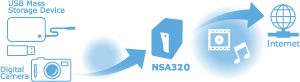 [/TD]
[/TD]
[TD="bgcolor: transparent"][/TD]
[TD="bgcolor: transparent, align: left"]Share with your friends in a snap
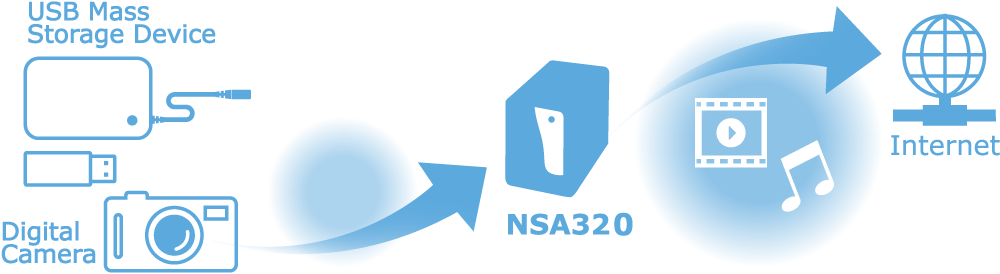
Without powering up your PC or laptop, just plug your digital cameras, smart phones or USB mass storage devices into the NSA320s USB ports and push the copy/sync button* to save the photos and videos in the NSA320. Few minutes later, your newly-added photos and videos will be automatically uploaded by the NSA320 to the social media sites like Flickr and YouTube and ready to share with your friends!
[/TD]
[/TR]
[TR="bgcolor: transparent"]
[TD="bgcolor: transparent"][/TD]
[TD="bgcolor: transparent"][/TD]
[TD="bgcolor: transparent"][/TD]
[/TR]
[TR="bgcolor: transparent"]
[TD="bgcolor: transparent"][/TD]
[TD="bgcolor: transparent"][/TD]
[TD="bgcolor: transparent"][/TD]
[/TR]
[/TABLE]
[TABLE="width: 70%"]
[TR="bgcolor: transparent"]
[TD="bgcolor: transparent, align: left"][/TD]
[TD="bgcolor: transparent, align: left"]P2P Download Service
The NSA320 features a P2P download service for fast downloading and sharing large files. With high-speed DHT (Distributed Hash Tables) mode and TCP/UDP tracker protocols support, the NSA320 overcomes the drawbacks of slow and disrupted downloading.[/TD]
[/TR]
[TR="bgcolor: transparent"]
[TD="bgcolor: transparent, align: left"][/TD]
[TD="bgcolor: transparent, align: left"]RSS
After you subscribe to RSS feeds and add the links to the NSA320, the built-in RSS client enables the NSA320 to automatically download the latest digital contents, such as TV programs and Podcasts. With RSS server support, the NSA320 makes it easy for you to share the files with your friends by subscribing to the RSS feeds you set.[/TD]
[/TR]
[TR="bgcolor: transparent"]
[TD="bgcolor: transparent, align: left"][/TD]
[TD="bgcolor: transparent, align: left"]FTP Server
With the NSA320, you can establish your own FTP server and manage access authorization for it. The auto-upload function can automatically upload files stored in the NSA to FTP servers; its a very efficient way to update multiple FTP servers simultaneously and share with your friends and family.[/TD]
[/TR]
[TR="bgcolor: transparent"]
[TD="bgcolor: transparent, align: left"][/TD]
[TD="bgcolor: transparent, align: left"]One-click Hosting Sites Downloading
In addition to serving as an eMule/P2P Download/FTP server, our one-click hosting download manager makes it easy for you to manage large files downloads from RapidShare.[/TD]
[/TR]
[TR="bgcolor: transparent"]
[TD="bgcolor: transparent, align: left"][/TD]
[TD="bgcolor: transparent, align: left"]Organize media at your fingertips
The zPilot file auto-classification function of the NSA320 enables you to easily store and manage media files through simple drag-and-drop operations. With zPilot software installed on your computer, you can drag one or more files or folders to the zPilot icon on the desktop, and they will be identified and delivered automatically to music, photo, video or other designated folders on the NSA320.[/TD]
[/TR]
[/TABLE]