Nimetengeneza DROPDOWN MENU kwenye website yangu kwa kutumia html na css. laikini cha ajabu kila kitu kinaenda sawa ila nikipeleka mouse pale kwenye link ambayo nimeiwekea dropdown menu hakuna kinachotokea(yaani dropdown menu hazijitokezi).
Nime-preview kwenye browser mbili tofuati lakini hamna mabadiliko. Kama kuna mwenye idea ya jambo hili msaada tafadhali...!!
HTML CODES
<!DOCTYPE html>
<html>
<head>
<link href="style0.css" rel="stylesheet" type="text/css" />
<meta http-equiv="Content-Type" content="text/html; charset=utf-8" />
<title>DROP DOWN MENU</title>
</head>
<body bgcolor="#FF9900">
<nav>
<ul>
<li><a href="#">home</a></li>
<li><a href="#">Sports</a></li>
<ul>
<li><a href="#">BASKETBALL</a></li>
<LI><a href="#">FOOTBALL</a>
<ul>
<li><a href="#">SIMBA</a></li>
<li><a href="#">YANGA</a></li>
<li><a href="#">AZAM</a></li>
</ul>
</LI>
<li><a href="#">TENNIS</a></li>
</ul>
<li><a href="#">aboutus</a></li>
<li><a href="#">gallery</a></li>
<li><a href="#">competition</a></li>
</ul>
</nav>
</body>
</html>
CSS STYLING
Charset "utf-8";
/* CSS Document */
body{
font-family:Arial, Helvetica, sans-serif;
}
nav ul ul{
display:none;}
nav ul li:hover > ul {
display:block;
}
nav li:hover > ul {
display:block;}
nav ul{
background: #efefef ;
background: linear-gradient( top, #efefef 0%, #bbbbbb 100%);
background: -moz-linear-gradient(top, #efefef 0%, #bbbbbb 100%);
background: -webkit-linear-gradient(top, #efefef 0%,#bbbbbb 100%);
box-shadow: 0px 0px 9px rgba(0,0,0,0.15);
padding: 0 20px;
border-radius: 10px;
list-style: none;
position:relative;
display: inline-table;
}
nav ul:after {
content: "", clear: both; display: block;
}
nav ul li {
float: left;
}
nav ul li:hover{
background: #4b545f ;
background: -moz-linear-gradient(top, #4f5964 0%, #5f6975 40%);
background: -webkit-linear-gradient(top, #4f5964 0%,#5f6975 40%);
}
nav ul li:hover a{
color:#fff ;
}
nav ul li a{
display: block;
padding: 25px 40px;
color:#757575;
text-decoration: none;
}
nav ul ul{
background:#5f6975 ;
border-radius: 0px;
padding:0;
position: absolute;
top: 100%;
}
nav ul ul li {
float: none;
border-top: 1px solid #6b727c ;
border-bottom: 1px solid #576f7a ;
position: relative;
}
nav ul ul li a{
padding: 15px 40px;
color: #fff ;
}
nav ul ul li a:hover{
background: #4b545f ;
visibility:visible;
}
nav ul ul ul{
position: absolute; left: 100%; top:0;
}
BROWSER PREVIEW FIREFOX N IE


nav ul ul{
display:none;}
Kwenye display nikiweka display visible iakuwa hivi.
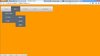

na hivo ndio nataka itokee ukiweka mouse kwenye sports navigation.
Nime-preview kwenye browser mbili tofuati lakini hamna mabadiliko. Kama kuna mwenye idea ya jambo hili msaada tafadhali...!!
HTML CODES
<!DOCTYPE html>
<html>
<head>
<link href="style0.css" rel="stylesheet" type="text/css" />
<meta http-equiv="Content-Type" content="text/html; charset=utf-8" />
<title>DROP DOWN MENU</title>
</head>
<body bgcolor="#FF9900">
<nav>
<ul>
<li><a href="#">home</a></li>
<li><a href="#">Sports</a></li>
<ul>
<li><a href="#">BASKETBALL</a></li>
<LI><a href="#">FOOTBALL</a>
<ul>
<li><a href="#">SIMBA</a></li>
<li><a href="#">YANGA</a></li>
<li><a href="#">AZAM</a></li>
</ul>
</LI>
<li><a href="#">TENNIS</a></li>
</ul>
<li><a href="#">aboutus</a></li>
<li><a href="#">gallery</a></li>
<li><a href="#">competition</a></li>
</ul>
</nav>
</body>
</html>
CSS STYLING
Charset "utf-8";
/* CSS Document */
body{
font-family:Arial, Helvetica, sans-serif;
}
nav ul ul{
display:none;}
nav ul li:hover > ul {
display:block;
}
nav li:hover > ul {
display:block;}
nav ul{
background: #efefef ;
background: linear-gradient( top, #efefef 0%, #bbbbbb 100%);
background: -moz-linear-gradient(top, #efefef 0%, #bbbbbb 100%);
background: -webkit-linear-gradient(top, #efefef 0%,#bbbbbb 100%);
box-shadow: 0px 0px 9px rgba(0,0,0,0.15);
padding: 0 20px;
border-radius: 10px;
list-style: none;
position:relative;
display: inline-table;
}
nav ul:after {
content: "", clear: both; display: block;
}
nav ul li {
float: left;
}
nav ul li:hover{
background: #4b545f ;
background: -moz-linear-gradient(top, #4f5964 0%, #5f6975 40%);
background: -webkit-linear-gradient(top, #4f5964 0%,#5f6975 40%);
}
nav ul li:hover a{
color:#fff ;
}
nav ul li a{
display: block;
padding: 25px 40px;
color:#757575;
text-decoration: none;
}
nav ul ul{
background:#5f6975 ;
border-radius: 0px;
padding:0;
position: absolute;
top: 100%;
}
nav ul ul li {
float: none;
border-top: 1px solid #6b727c ;
border-bottom: 1px solid #576f7a ;
position: relative;
}
nav ul ul li a{
padding: 15px 40px;
color: #fff ;
}
nav ul ul li a:hover{
background: #4b545f ;
visibility:visible;
}
nav ul ul ul{
position: absolute; left: 100%; top:0;
}
BROWSER PREVIEW FIREFOX N IE
nav ul ul{
display:none;}
Kwenye display nikiweka display visible iakuwa hivi.
na hivo ndio nataka itokee ukiweka mouse kwenye sports navigation.